
Google will not automatically approve a virtual office on Google Business Profile. A virtual office, P.O. box, or remote mailbox is not eligible as a storefront if you do not work there and serve customers on-site during business hours. A service-area business can hide its address. Registered-office use is a different legal question from Google Maps.
That distinction is where most Markham founders get stuck. A Class-A address at 1005-3601 Highway 7 E. can be the right place to receive CRA mail and list your Ontario registered office. It does not, by itself, mean Google will pin you on Maps as a storefront. Google decides from its own guidelines, not from your corporate record.
What Google's guidelines actually say
Google's current Guidelines for representing your business on Google are public. The address rules that matter for a virtual office are:
- Use a precise, accurate address for your actual, real-world location. P.O. boxes or mailboxes at remote locations are not acceptable.
- If you rent a physical mailing address but do not operate out of that location — Google's own words for a virtual office — that location is not eligible for a Business Profile.
- Businesses that show an address on Google should maintain permanent, fixed signage of the business name at that address.
- You cannot list an office at a co-working space unless that office has clear signage, receives customers during business hours, and is staffed during those hours by your business staff.
Those last two points are easy to miss. A staffed building with a receptionist is not the same as your staff working there during posted hours and serving walk-in customers. Google is writing about a customer-facing location, not a mail drop with a professional street name.
Storefront vs service-area business
Google splits local businesses into two models.
Storefront. Customers visit you. The address shows on Search and Maps. Google expects you to work there during business hours, serve people on-site, and (if the address is public) keep fixed signage. A clinic, a salon, a retail shop, and a restaurant are the obvious examples. A consultancy that never hosts clients at the listed suite is not a storefront just because the suite number looks real.
Service-area business (SAB). You travel to the customer — plumber, cleaner, mobile mechanic, many B2B consultants. Google says an SAB should have one profile for the central office or location, with a designated service area. If you do not have a storefront with clear signage and you go to customers, you are allowed one SAB profile. If you are an SAB, you should hide the address from customers. A plumber working from a residential address is the example Google uses: clear the address on the profile.
Two more SAB rules from the same page:
- Service-area businesses cannot list a "virtual" office unless that office is staffed during business hours.
- Hybrid businesses (Google's example: an auto shop with a garage and roadside service) can show the storefront address and set a service area — but only if the location is staffed by your team and able to receive customers during stated hours.
Hiding the address does not waive the rest of the guidelines. You still need an eligible location. A mailbox-only or unstaffed virtual setup is not a workaround.
Why a staffed Class-A virtual office can still fail storefront verification
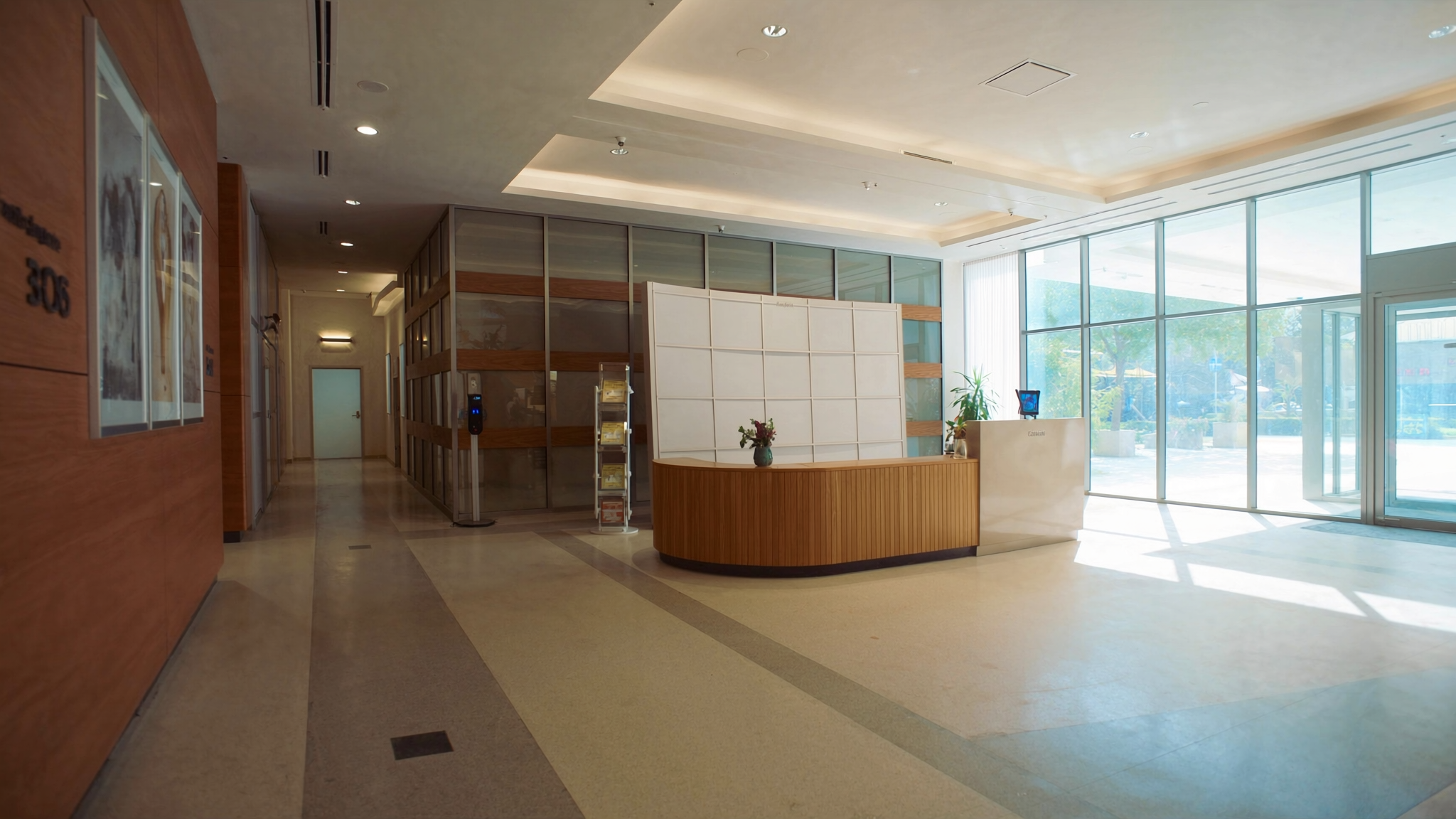
Markham Office is a staffed Class-A suite with live reception, mail handling, and on-site meeting rooms. That is a real professional presence for registration, banking, and client meetings you book. It is not a promise that Google will treat your company as a storefront at that pin.
Google can still refuse or suspend a storefront listing when:
- You do not regularly serve customers on-site during the hours on the profile.
- There is no permanent signage in your business name.
- The location is not staffed by your own people during those hours.
- Verification (postcard, video, or live video) cannot show a genuine customer-facing operation.
Video checks are common. Google chooses the method; you do not. If the reviewer asks you to walk the suite, show signage, and prove customers are received there, a mail-and-meeting virtual plan often cannot satisfy a storefront standard — even in a Class-A tower.
We will not tell you Google "usually approves" virtual-office GBPs. Some service businesses hide the address and keep a quiet SAB profile tied to a real base. Some storefront attempts fail. Treat approval as Google's call, not a product feature of a virtual office.
Registered office and CRA are a different question
Ontario incorporation and CRA accounts ask a legal-and-tax question: where can official documents be served, and where does the corporation live on the public record?
Google Maps asks a consumer question: where can a searcher walk in during posted hours?
You can use a real Markham street address as your registered office and for CRA correspondence without that address qualifying as a Google storefront. The reverse is also true: a home you work from might support an SAB profile (with the address hidden) and still be a poor public registered office if you want privacy.
If you are choosing between a mailbox, a virtual office, and a registered-office-only arrangement, read virtual office vs virtual mailbox vs registered office. The three labels solve different problems. Mixing them up is how founders over-promise a Maps pin they do not have.
What to do if you need local visibility
Be honest about the model, then build the profile that matches it.
- If customers come to you every day — you need premises you actually occupy, with signage and your staff on site. A dedicated office is the cleaner GBP path, not a virtual plan.
- If you go to the customer — set up as an SAB, hide the address, keep the service area tight (Google's published rule of thumb is about two hours' drive from where you are based, with room for some businesses to go wider), and do not treat a virtual suite as a fake storefront.
- If you only need mail, a phone, and a public corporate address — use the virtual office for that, and do not create a Maps listing you cannot defend.
For the mechanics of categories, photos, reviews, and posts once the profile is eligible, use the Google Business Profile optimization checklist. For how the map pack actually ranks in this city, see Google Map Pack ranking in Markham.
Local SEO still matters when the address is hidden. NAP consistency, a real website, reviews, and service-area pages do the work a pin cannot. That is the honest version of "get found on Google" for a mobile or overseas-founded company.
A Markham address still has real uses
None of this makes a virtual office pointless. It makes the job description accurate.
A virtual office at 1005-3601 Highway 7 E. from $49/month gives you a Class-A street address for Ontario registration and CRA mail, live reception, mail handling, and meeting rooms at $35/hour ($25 for members) when a client wants to sit down. A dedicated desk is $299/month. A private serviced office for two to three people starts at $1,000/month. Phone: (905) 305-7800.
Use virtual office for the address and mail. Use local SEO when you want help with an eligible Google Business Profile — including the cases where the honest answer is "hide the address" or "do not list this suite as a storefront."
We will set up the corporate address. We will not promise Google will pin it.